Use cases
Working around unstable dev backends
If you are a frontend developer you might be spending too much time syncing the database and spinning up dev infrastructure. And sometimes blocked by its instability.
Time travel
If you commit the mocks to the repo, you won’t need to downgrade backends when checking out long-lived branches or bisecting bugs.
All permutations
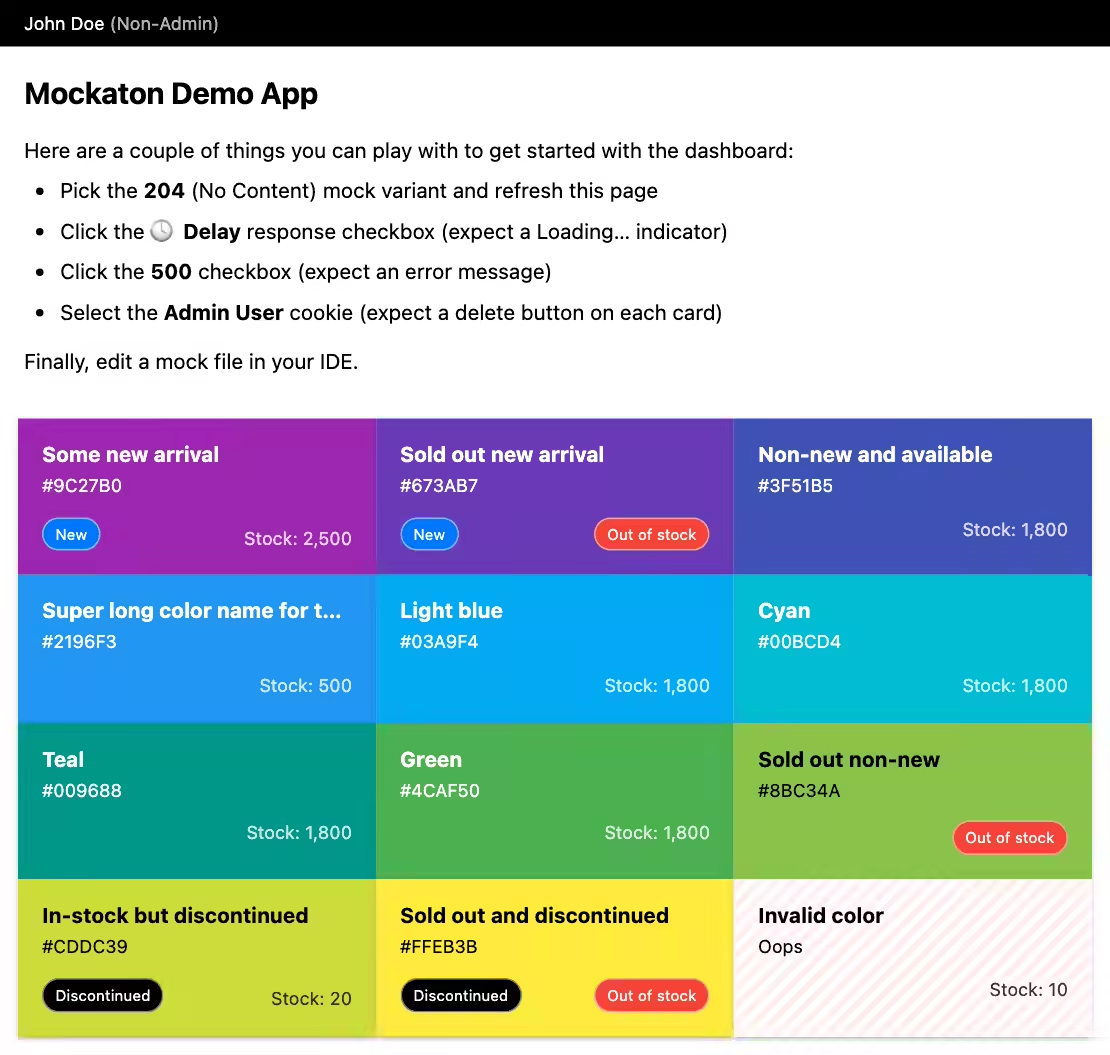
Besides helping to set up screenshot diffing tests (see pixaton-tests/ in the repo) developing against comprehensive states help to spot inadvertent regressions. For example, see these ColorCards below.
Develop ahead of backend
Sometimes frontend developement could be blocked by waiting for backend APIs to be ready. See ColorModel.js for an example of how you can decouple your frontend code from the API contract, so API changes become a matter of updating only one place.
Standalone demo server
You can deploy a Mockaton instance with your built SPA.
For that, put the built assets in config.mocksDir.
The repo includes a demo which builds the frontend app and runs a docker container with Mockaton as backend.
git clone https://github.com/ericfortis/mockaton.git --depth 1
cd mockaton/demo-app-vite
make run-standalone-demoDashboard: http://localhost:4040/mockaton
Testing
In summary, Mockaton lets you test flows that are difficult to reproduce from an actual backend.
Errors and edge cases on third-party APIs
Trigger states that might otherwise be impossible to test when using third-party APIs.
Recovering from an error
For instance, on a design review, you might need to demo what
happens when API recovers from an error. So you could start
with an autogenerated 500 response, and then toggling
it OFF to a 200.
Slow to generate resources
Similar to testing error recovery, when polling APIs, say, a slow
to generate backend resource. Begin lets say with a 204
(No Content) mock, and then switch it over to a 200.
Sensitive data APIs and resources
Say you need to work with sensitive documents you are not allowed to see, such as PII (Personally Identifiable Information).